Welcome to the
Beta.
You're one of the first people on earth to earn real Bitcoin for the runs you already do.
Bit Run is brand-new — a beta, rough edges and all — and you're here because I personally trust you to run it, push it, and help shape what it becomes. That means a lot. Thank you for being early.
Let's get you set up and earning. It takes about 3 minutes, once.
Bit Run pays you real Bitcoin for every qualifying run — measured in Satoshis (SATS), the smallest unit of Bitcoin. There are 100,000,000 SATS in 1 Bitcoin, so you stack SATS run by run.
Your SATS collect in your Bit Run balance, and you send them to your Bitcoin Lightning wallet with Send Sats (up to 1,000 a day). Lightning is the network built on top of Bitcoin that makes tiny, instant payments possible — perfect for sending a few hundred SATS in seconds.
Not points. Not a token. Real Bitcoin — yours to keep, hodl, or spend.
Proof of Human
Bit Run only rewards real, human runs. Proof of Human reads your run's GPS, heart-rate, and cadence to confirm a real person actually ran it — so the SATS stay fair, and no one can fake their way to a payout.
- Be an actual Run — not a walk or a bike ride
- Cover at least 1 km
- Hold a genuine running pace (roughly under 10 min / km)
- Be recorded with GPS on and your heart-rate shared — you turn HR sharing on once, in the Strava app (Step 7)
Hit those, and your SATS are calculated and added to your Bit Run balance automatically — no claiming. Send them to your Lightning wallet with Send Sats, up to 1,000 a day. Longer runs, climbs, and streaks earn more.
bitrun.run/apple · COROS: connect it directly under Profile → Connected sources, no Strava, no invite · Galaxy Watch: bitrun.run/galaxyOpen Bit Run
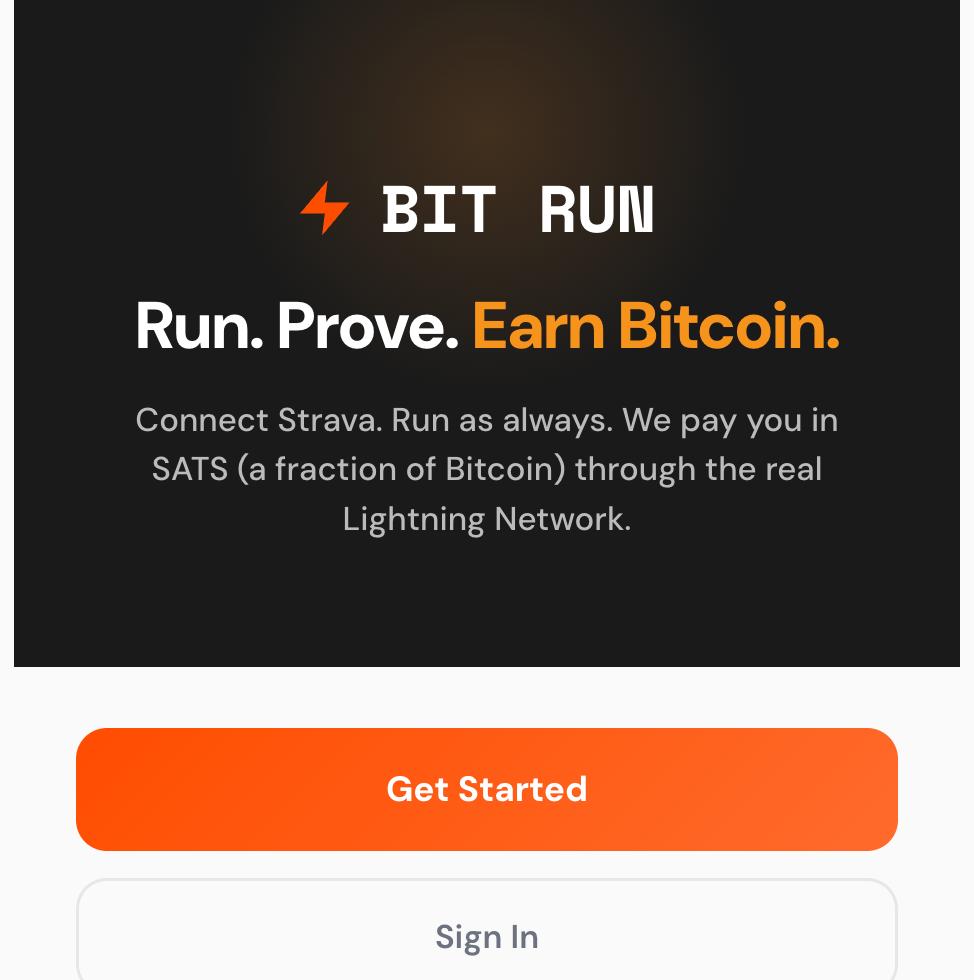
On your phone or computer, go to bitrun.run and tap Get Started.
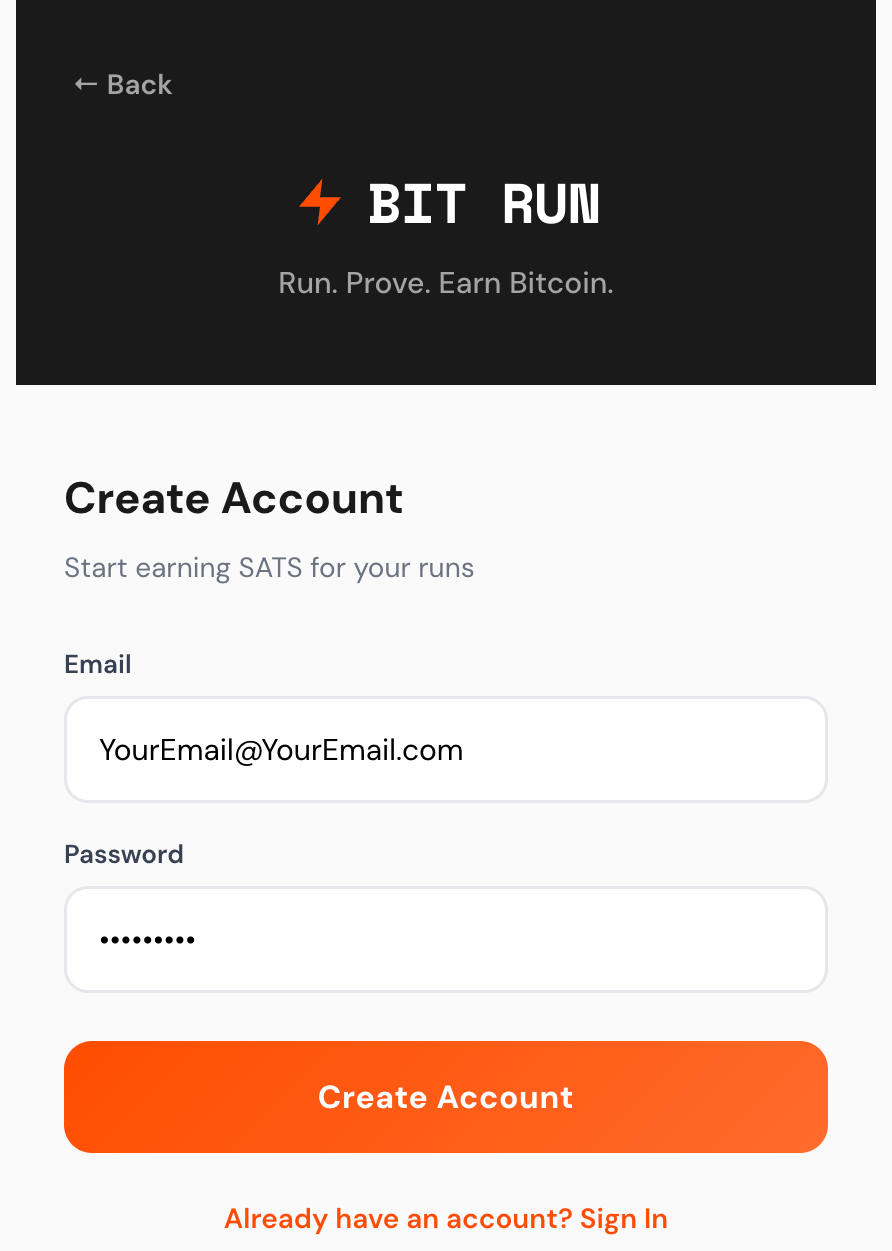
Create your account
Sign up with your email and a password.
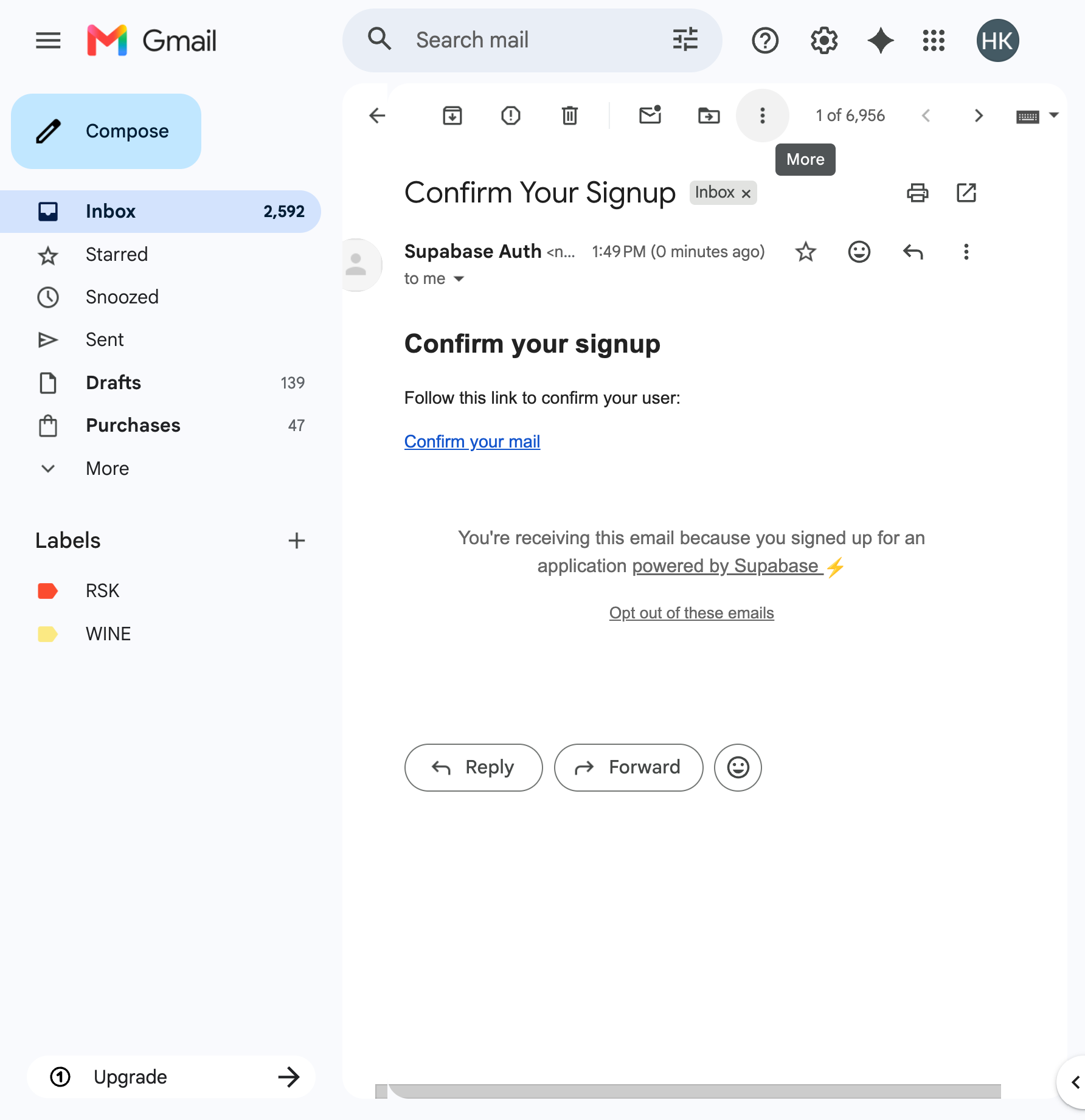
Confirm your email
Check your inbox for a confirmation email from Supabase and click the link to verify.
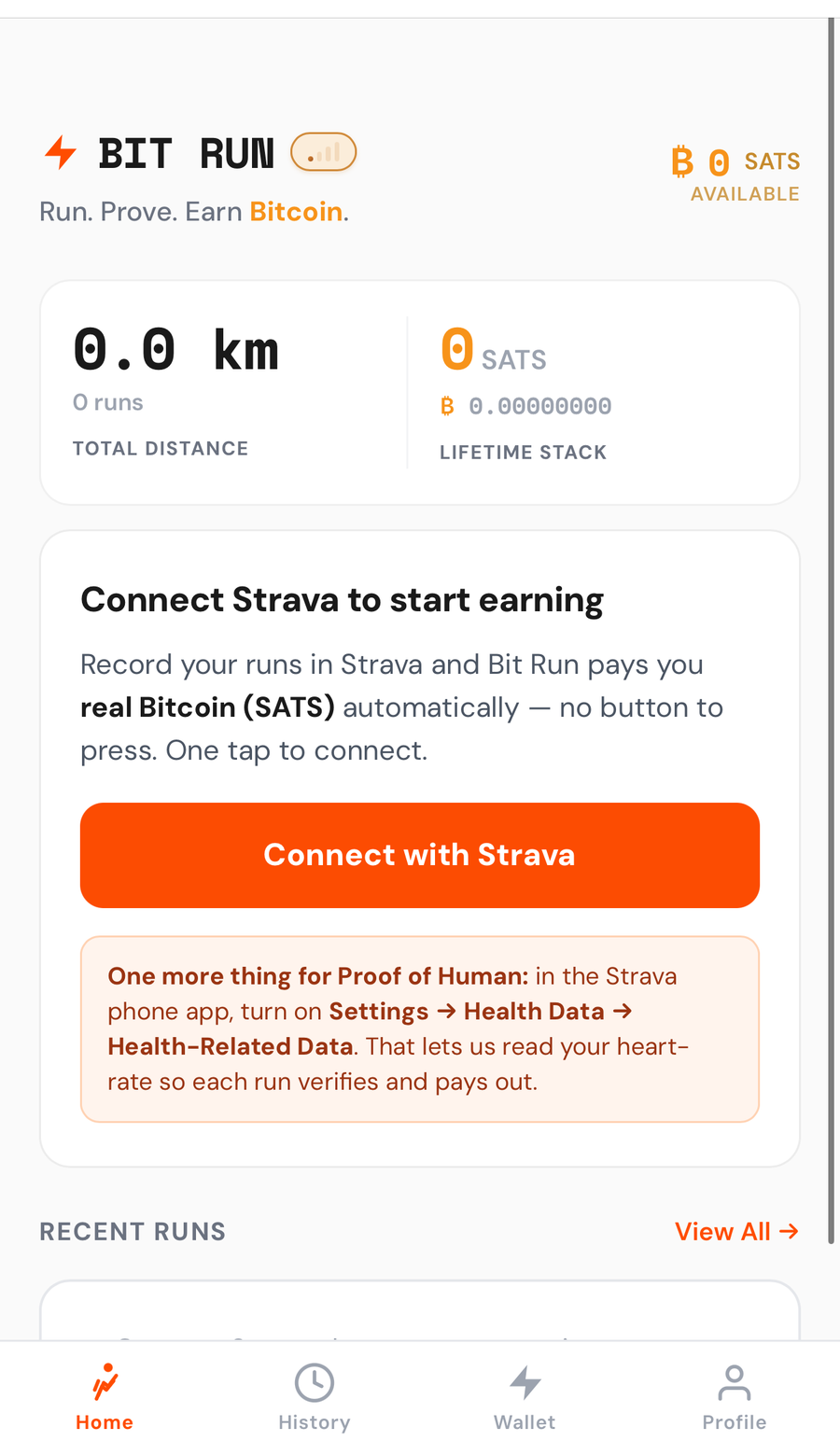
Tap “Connect with Strava”
Once your invite is active, open Profile → Connected sources, tap Strava, then Connect with Strava. That's the whole setup — no Strava app to create, no keys to copy. One tap.
Log in to Strava
If you're not already signed in, log into Strava — by email, or Sign in with Google / Apple. This is the account you record your runs with.
strava.com first — Strava is the app you'll record your runs with — then come back and tap Connect with Strava.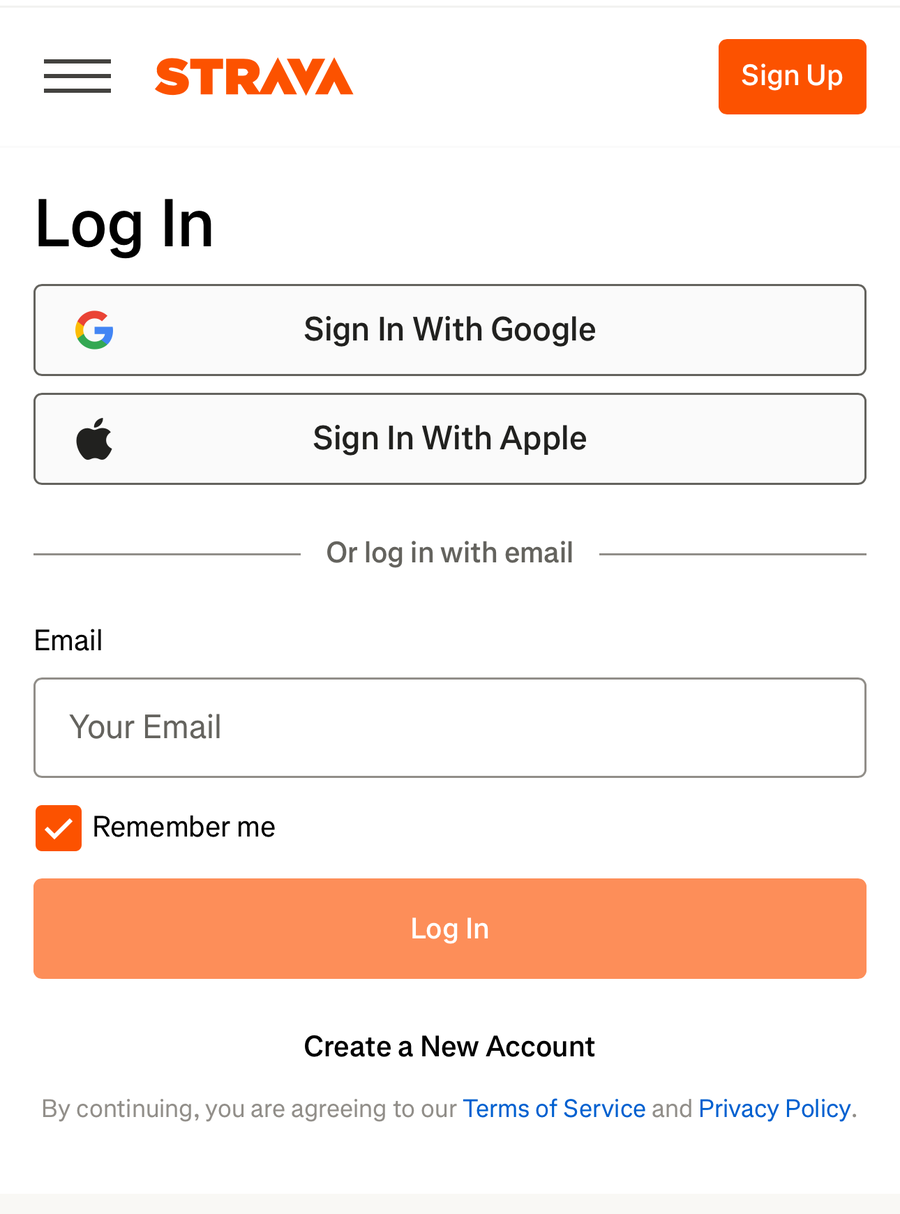
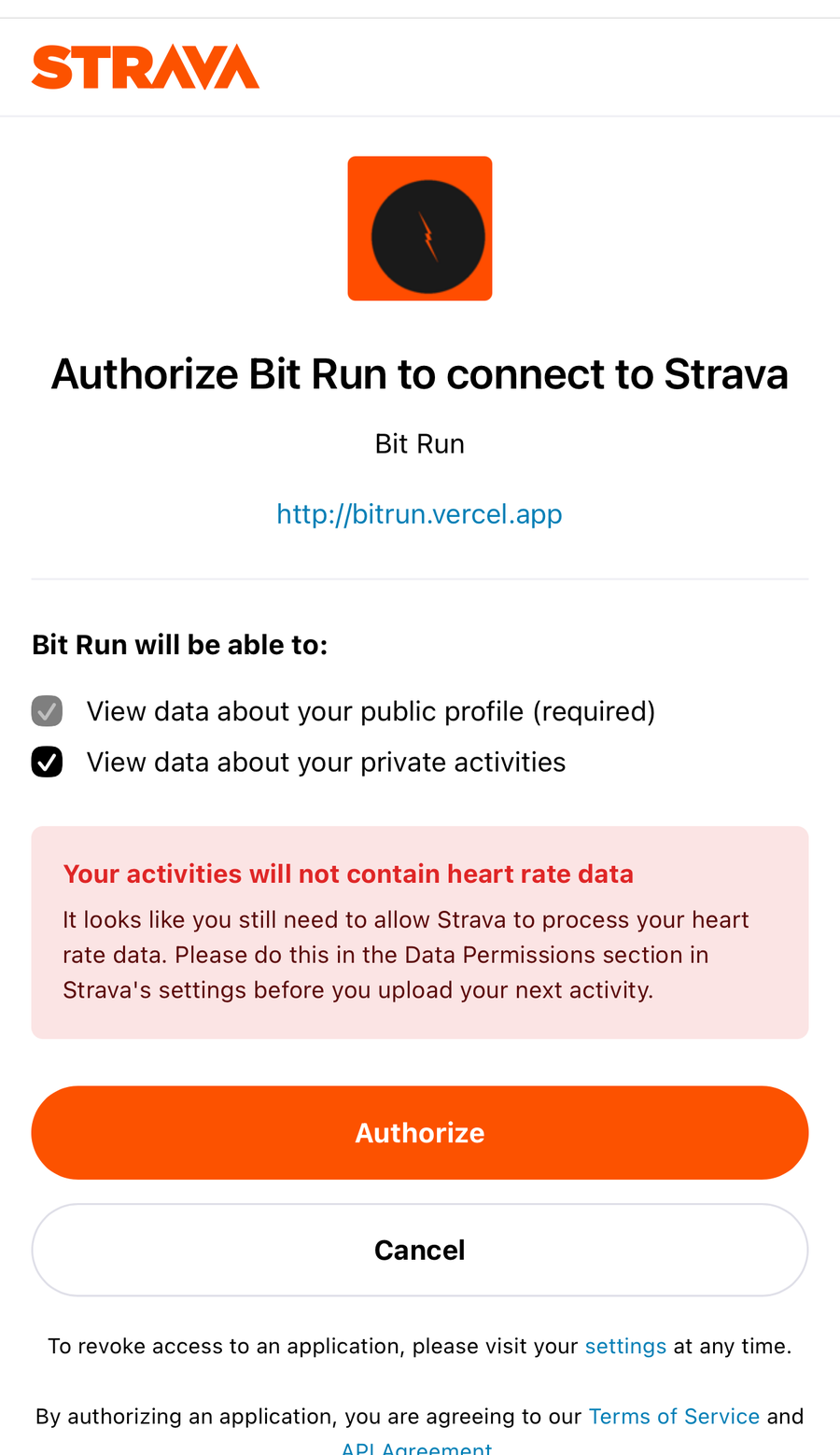
Authorize Bit Run
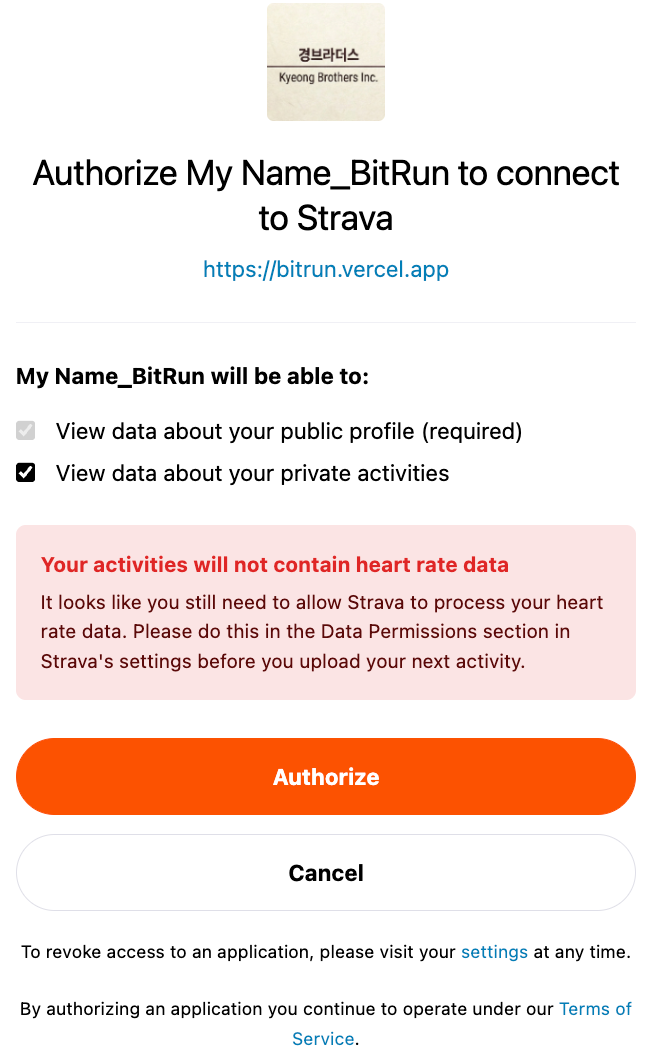
On Strava's "Authorize Bit Run" screen, make sure View data about your private activities is checked, then tap Authorize.
Turn on heart-rate sharing
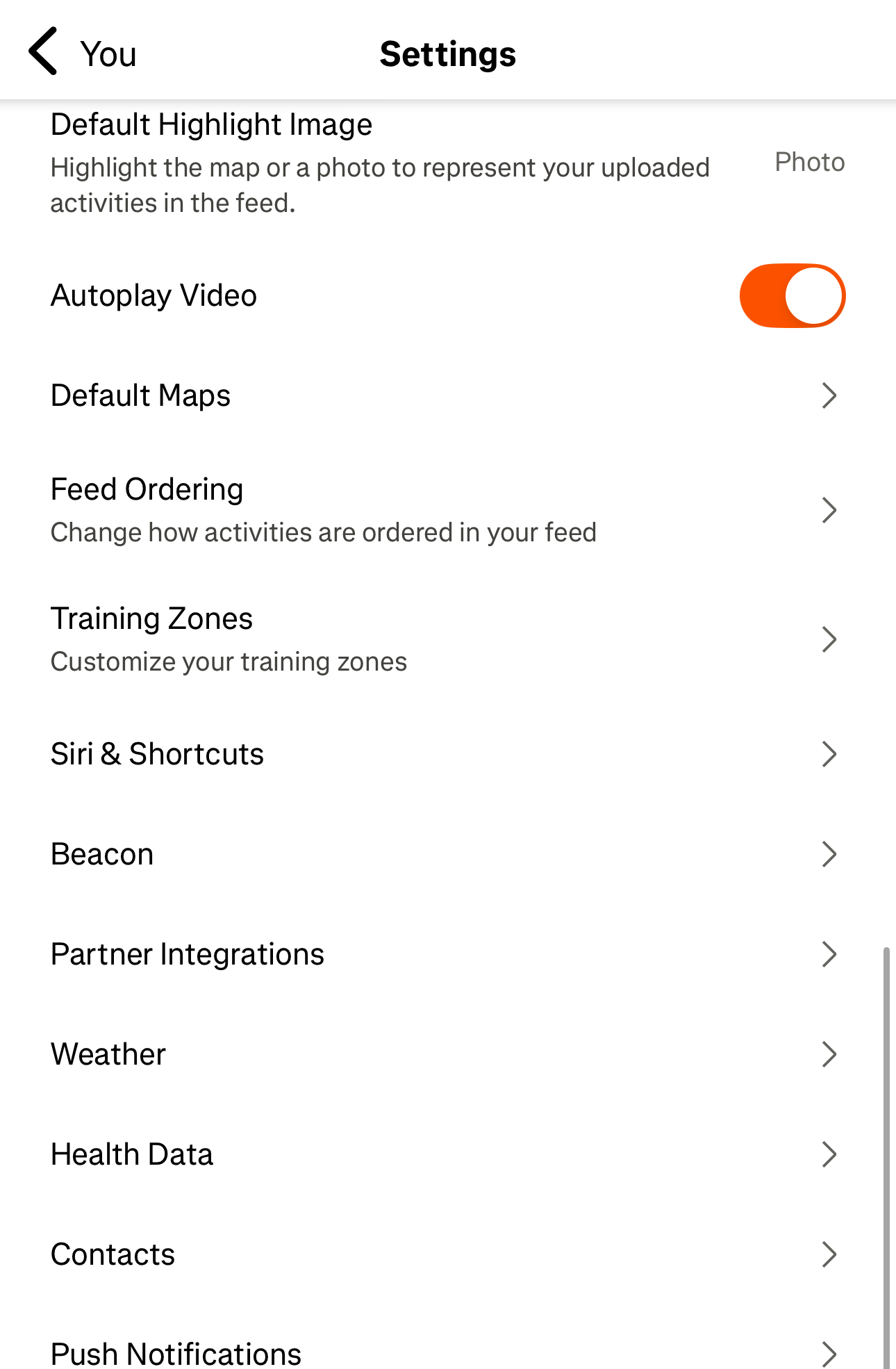
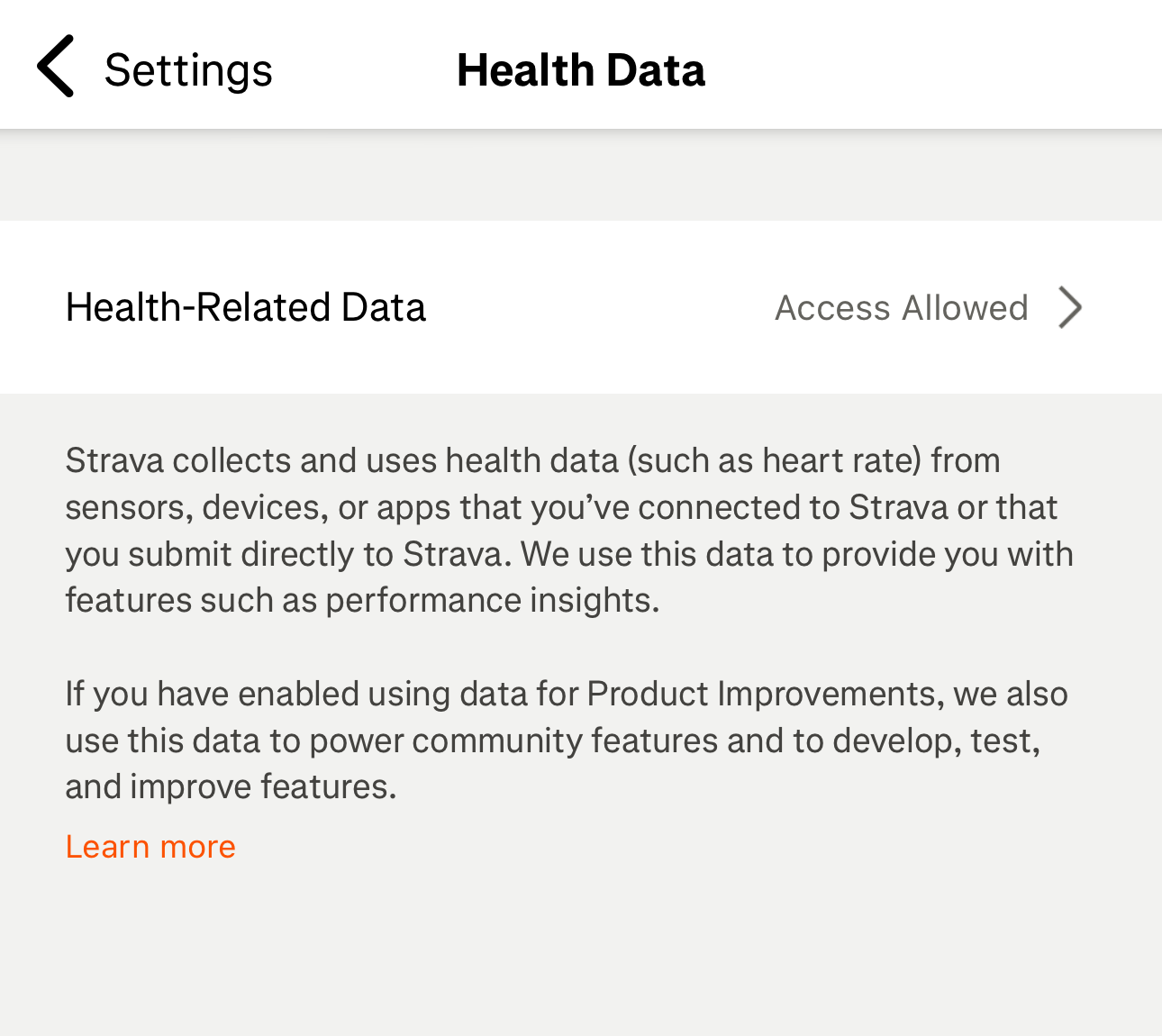
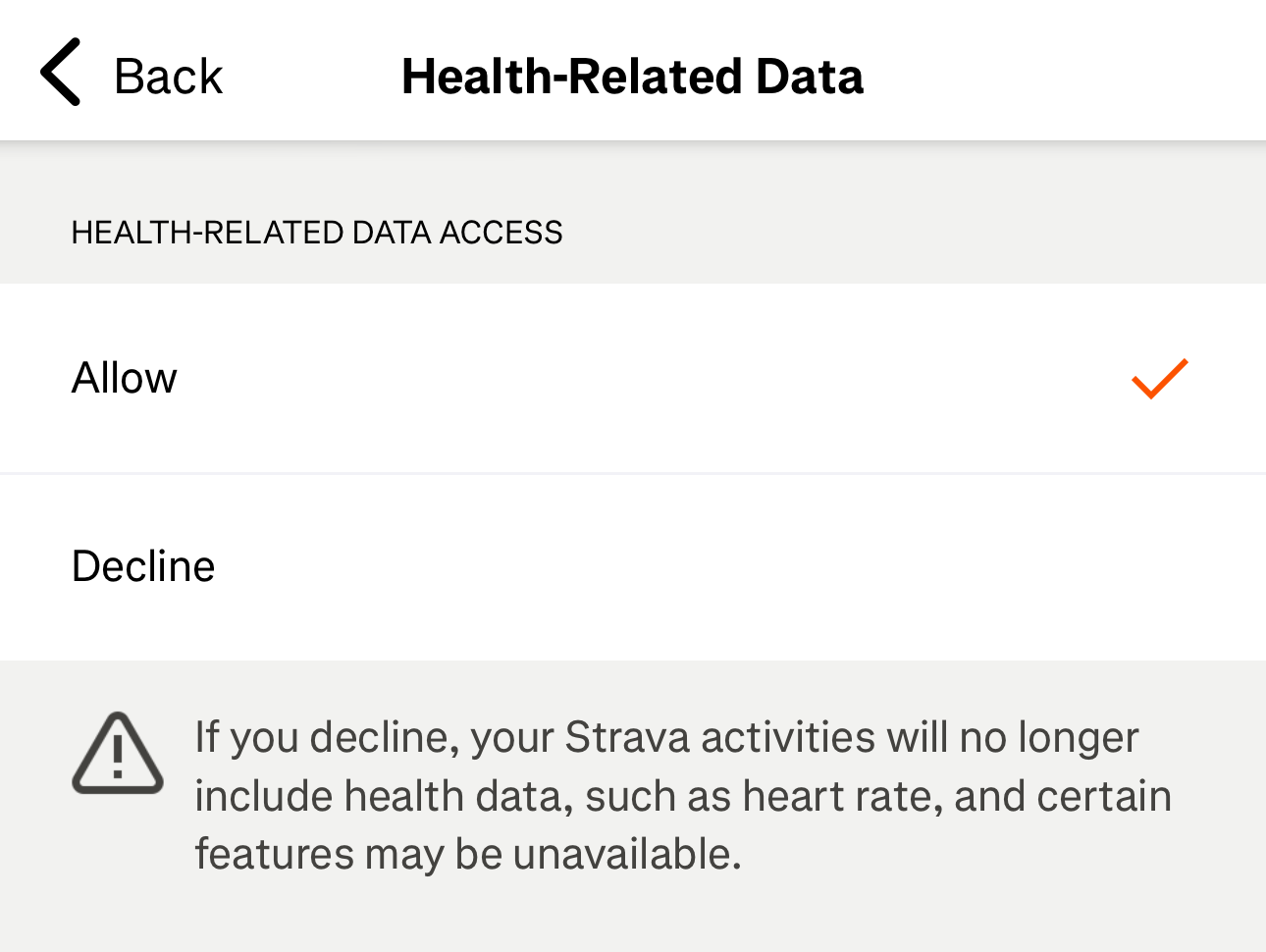
One-time, in the Strava phone app: open You → Settings → Health Data → Health-Related Data and tap Allow. This lets Proof of Human read your heart-rate so your runs qualify and pay out.
Connect your watch or wearable
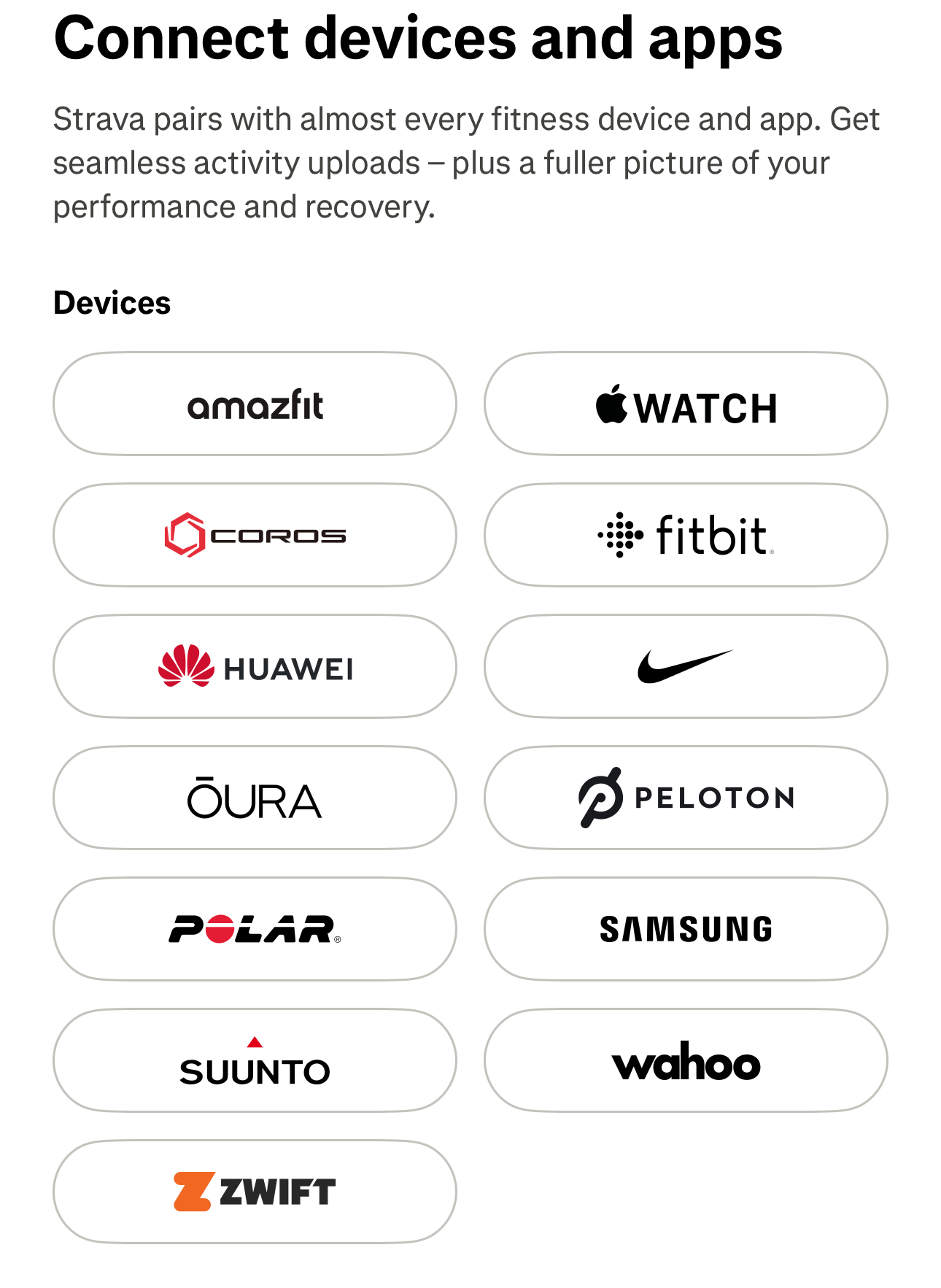
Still in the Strava app: Settings → Connect an app or device, then pick the watch or wearable you run with — the one that measures your heart-rate (Apple Watch, Suunto, Fitbit, Wahoo, etc.) — and sync it. This is what feeds heart-rate into every run.
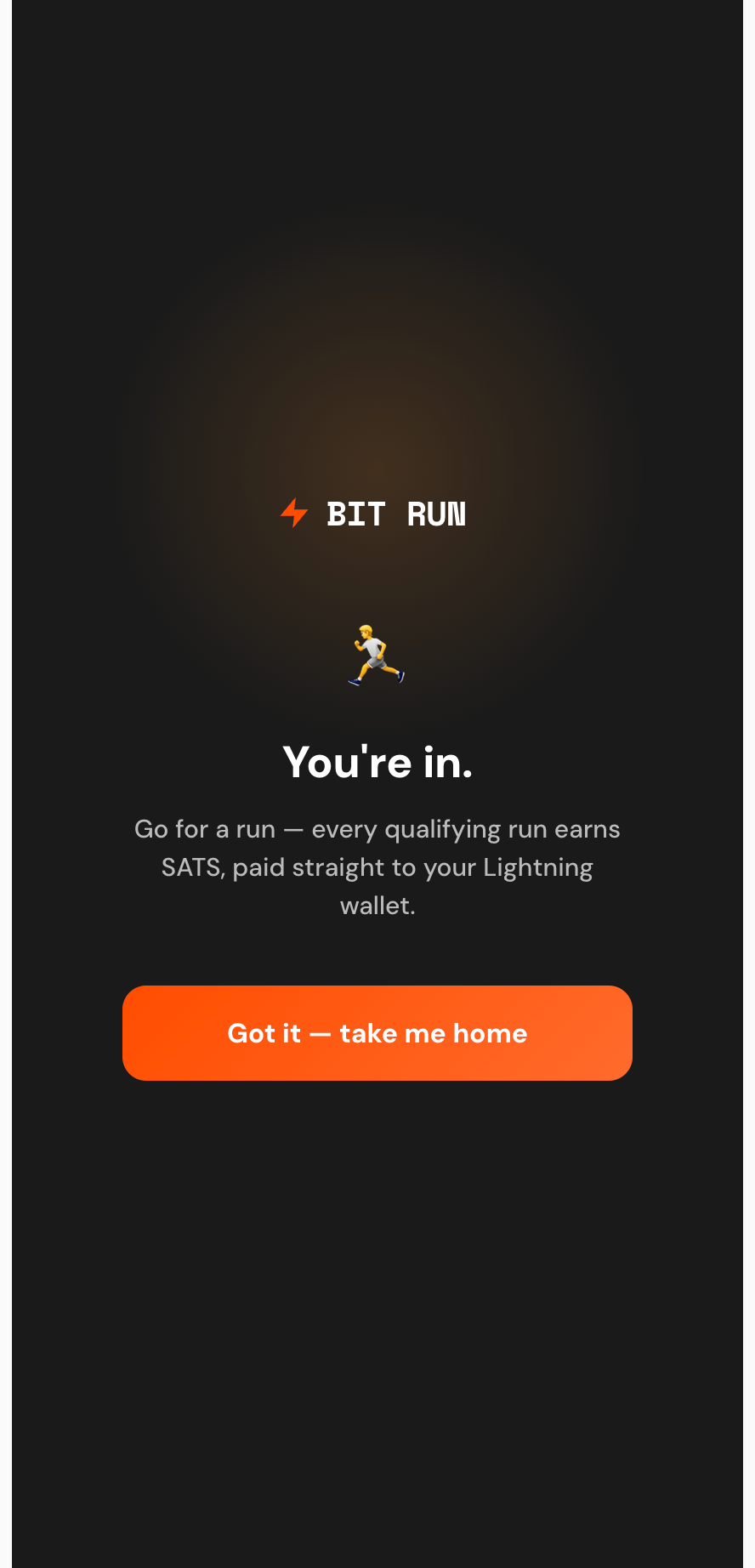
You're in 🎉 — go for a run
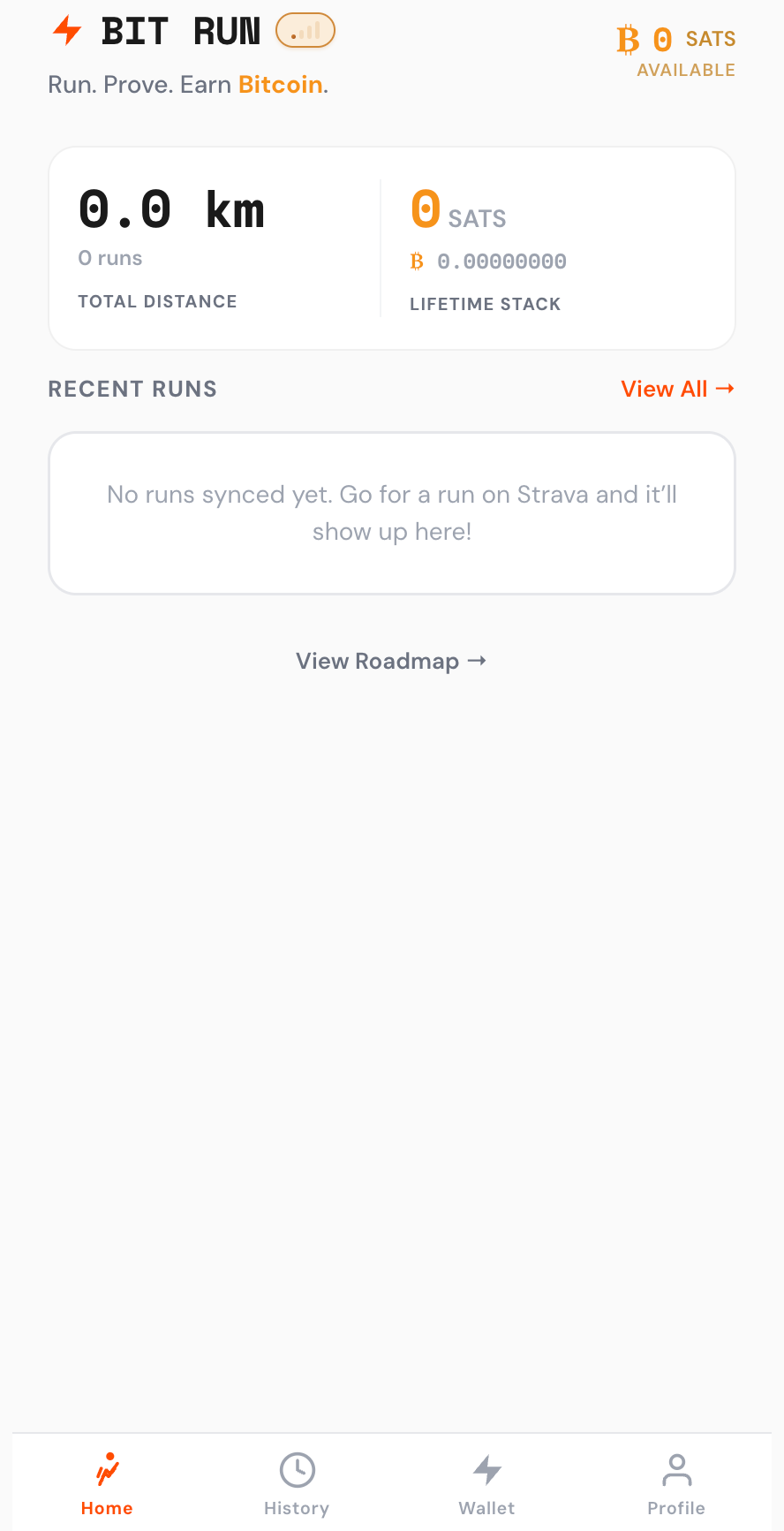
Connected! Now head out and run — record it in Strava as usual. Bit Run syncs it automatically (within a minute or two) and adds your SATS to your Bit Run balance. Send them to your Lightning wallet with Send Sats.
Need to use your own Strava app? (overflow only)
Almost everyone uses one-tap Connect with Strava (Step 4 above) — this longer path is only for runners I've personally asked to bring their own Strava app, for joining beyond the beta's athlete cap. If that's you: do these instead of Steps 4–6, then continue from Step 7 (heart-rate).
Open Strava API settings
On Bit Run's "Connect Strava" guide, tap "Open Strava API Settings." You'll create your own Strava app — ~2 minutes, once.
strava.com first. Then come back and tap "Open Strava API Settings."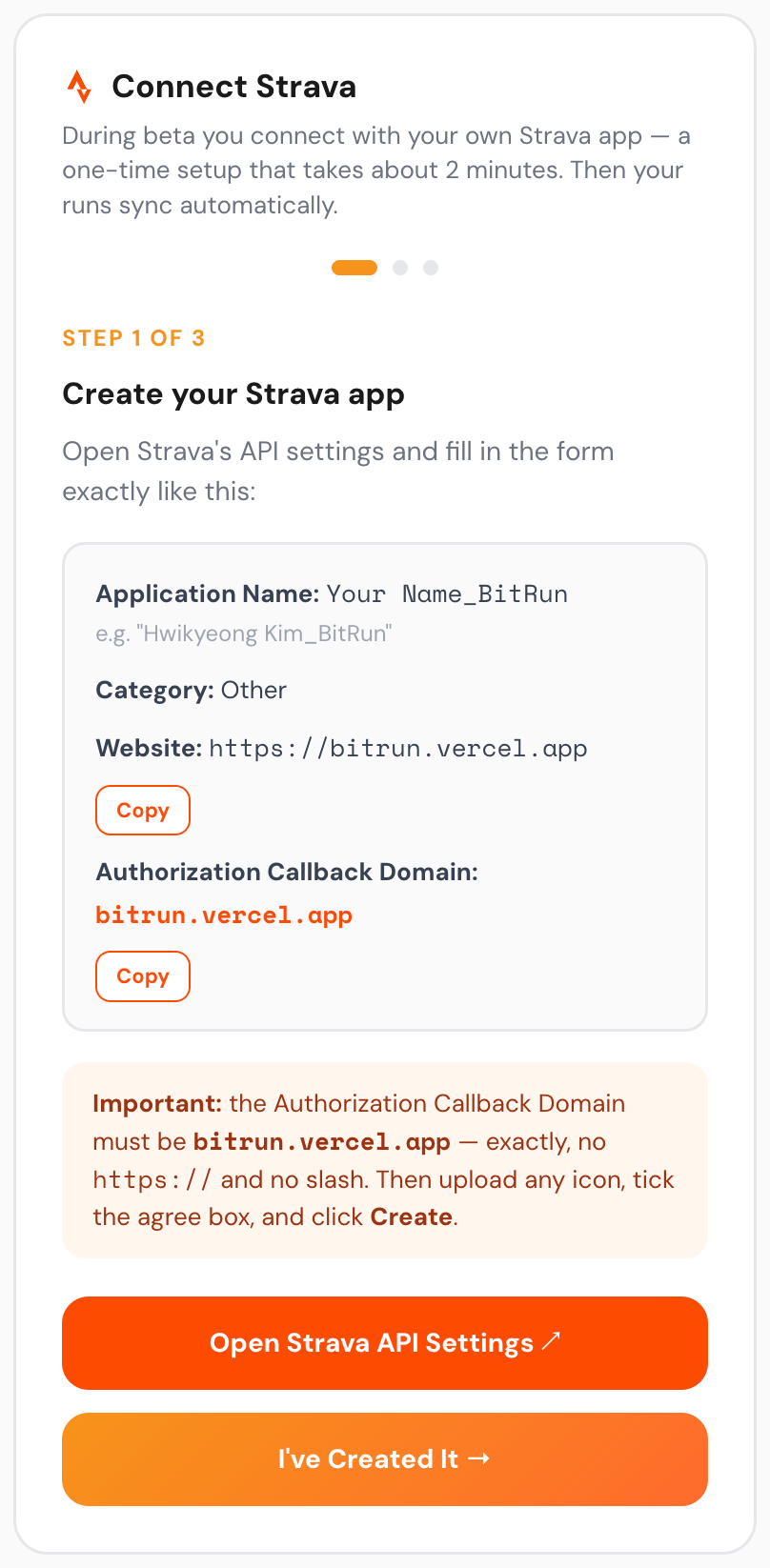
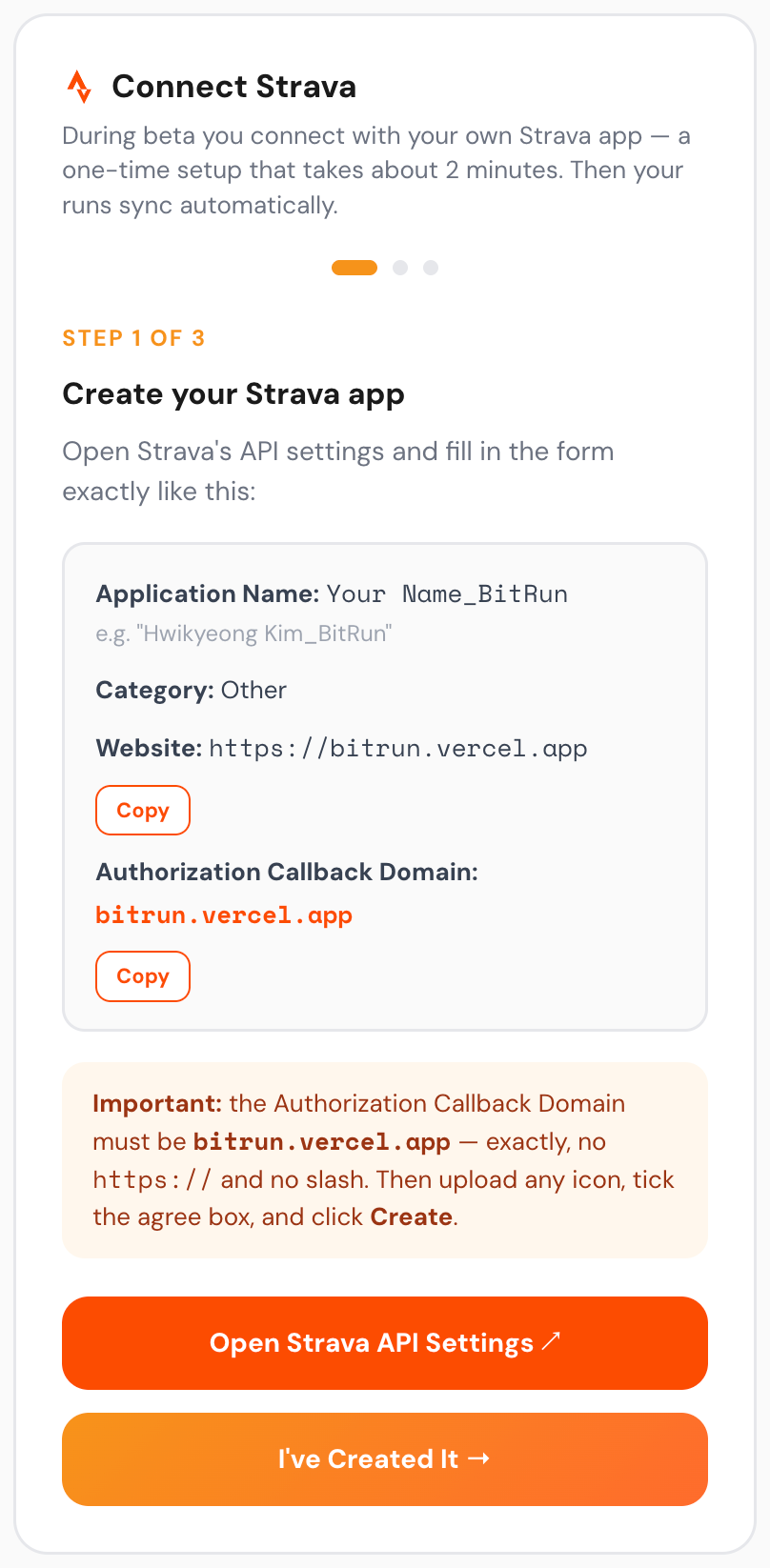
Create your Strava app
Fill Strava's "Create an Application" form — Application Name: Your Name_BitRun, Category: Other.
bitrun.run) must be exact, so copying guarantees it. Tick the agree box, then click Create.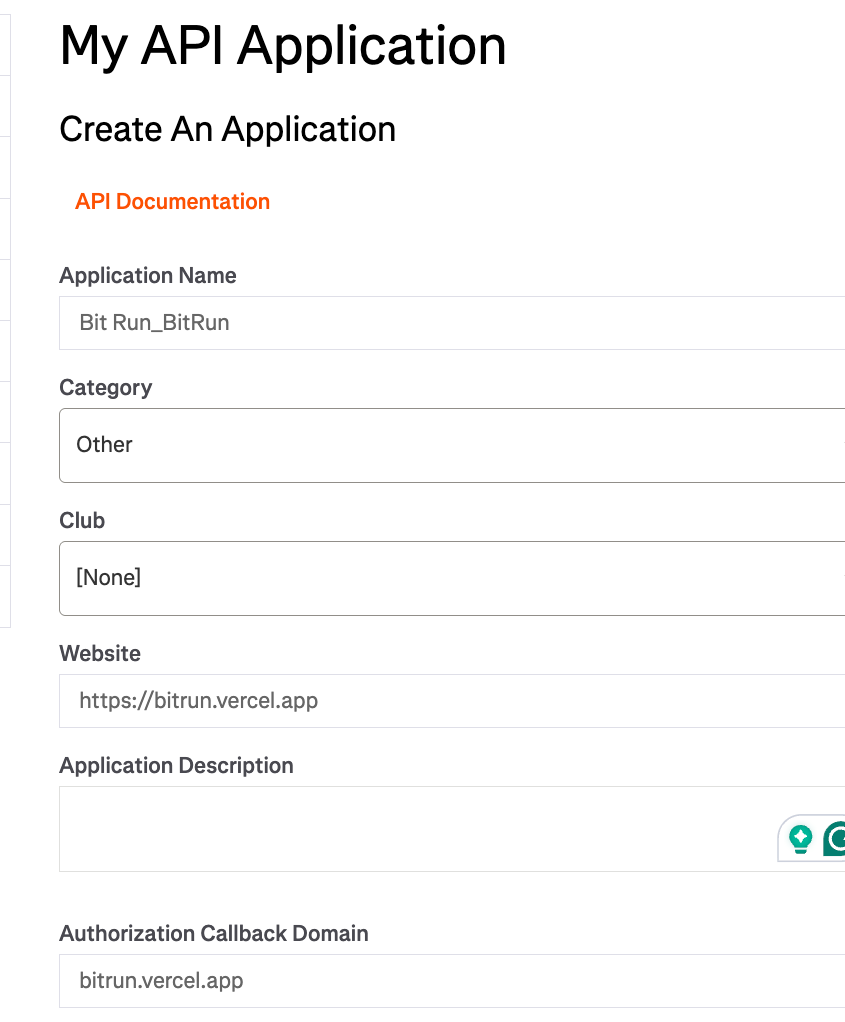
Upload your app icon
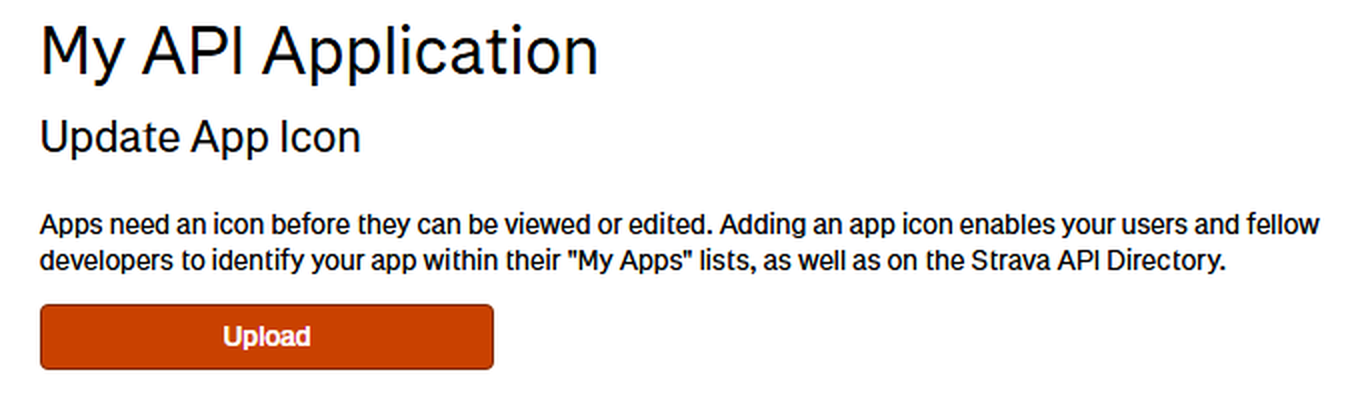
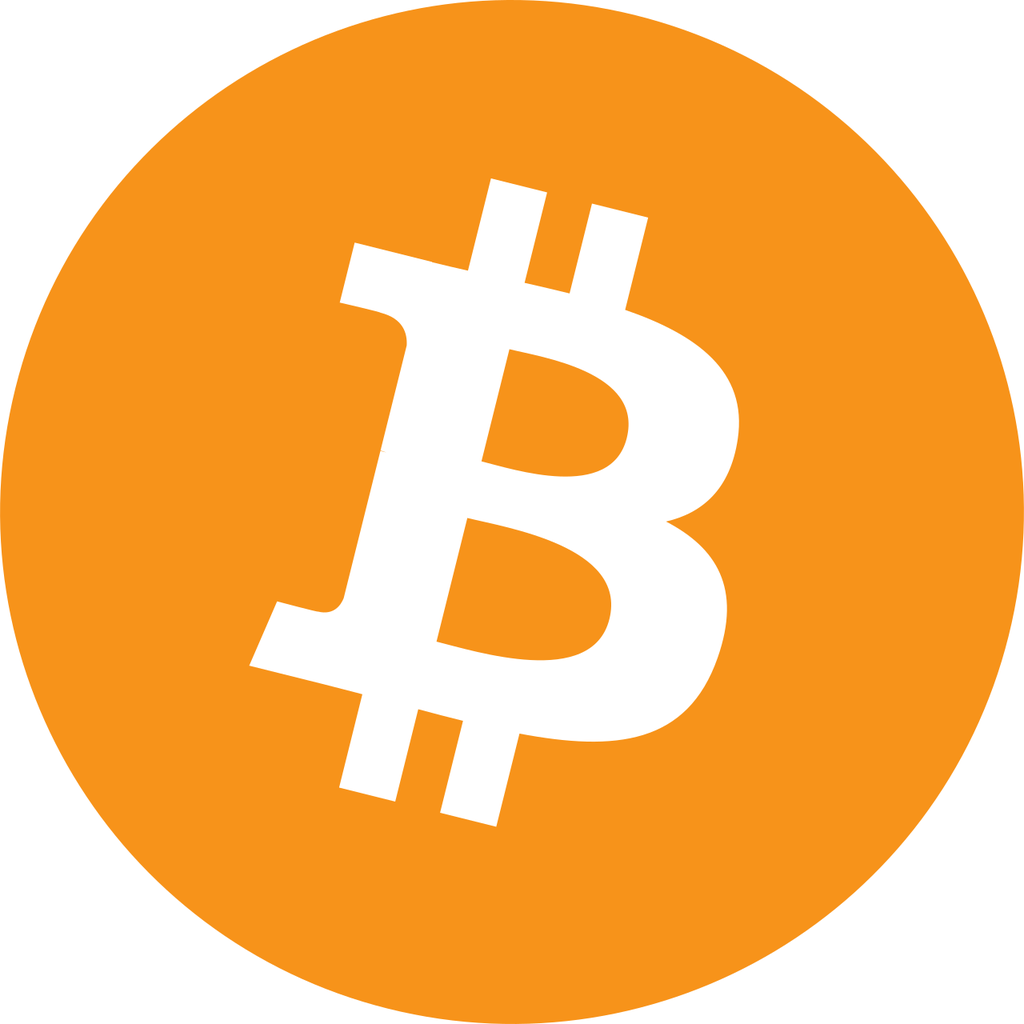
Right after you create the app, Strava asks for an app icon — and your app won't open until you add one. No need to make anything: tap Upload and choose the BitRun-App-Icon.png file (download it below). Done.
Back to Bit Run → "I've created it"
Return to the Bit Run tab and tap "I've Created It →" to continue.
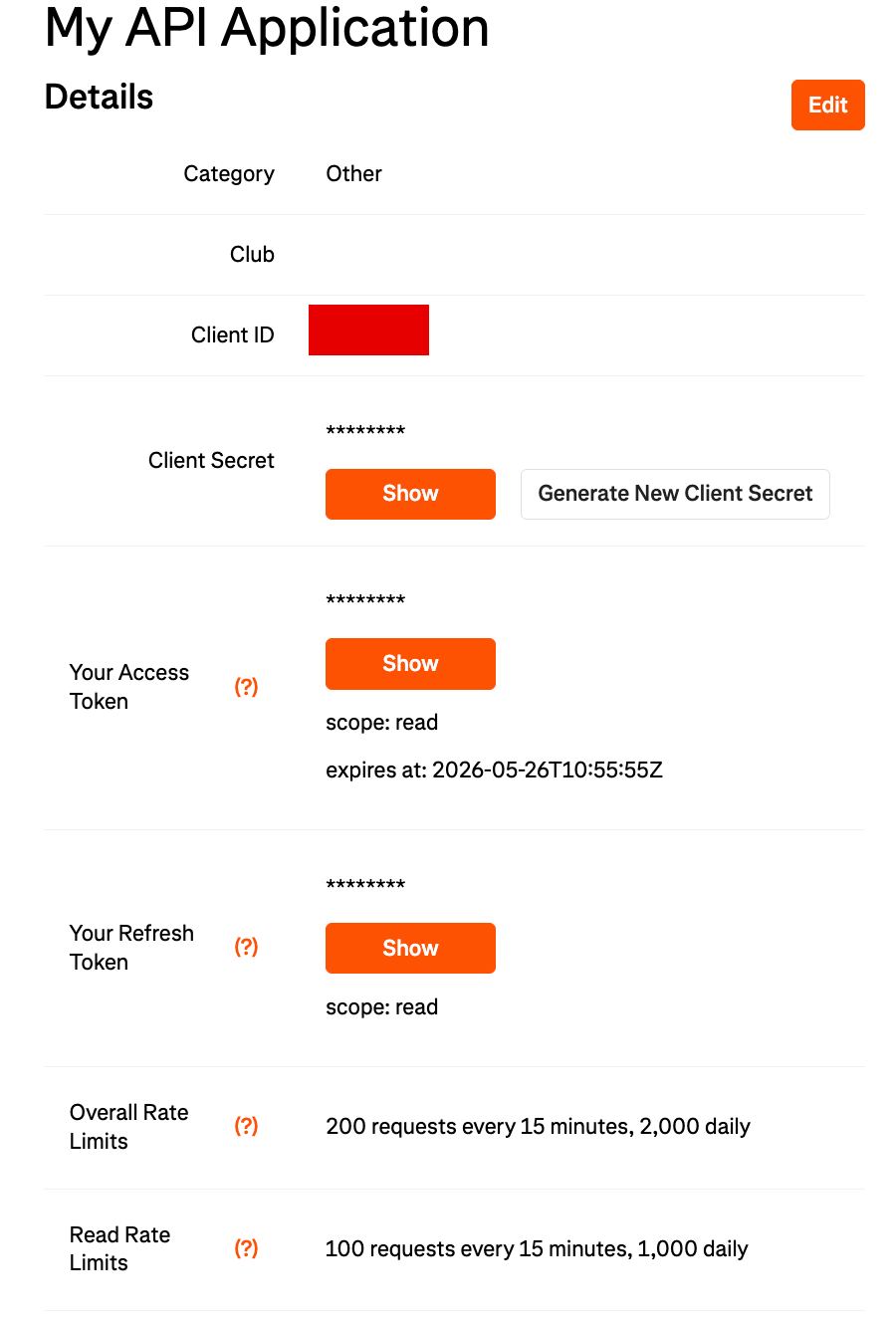
Copy your keys into Bit Run
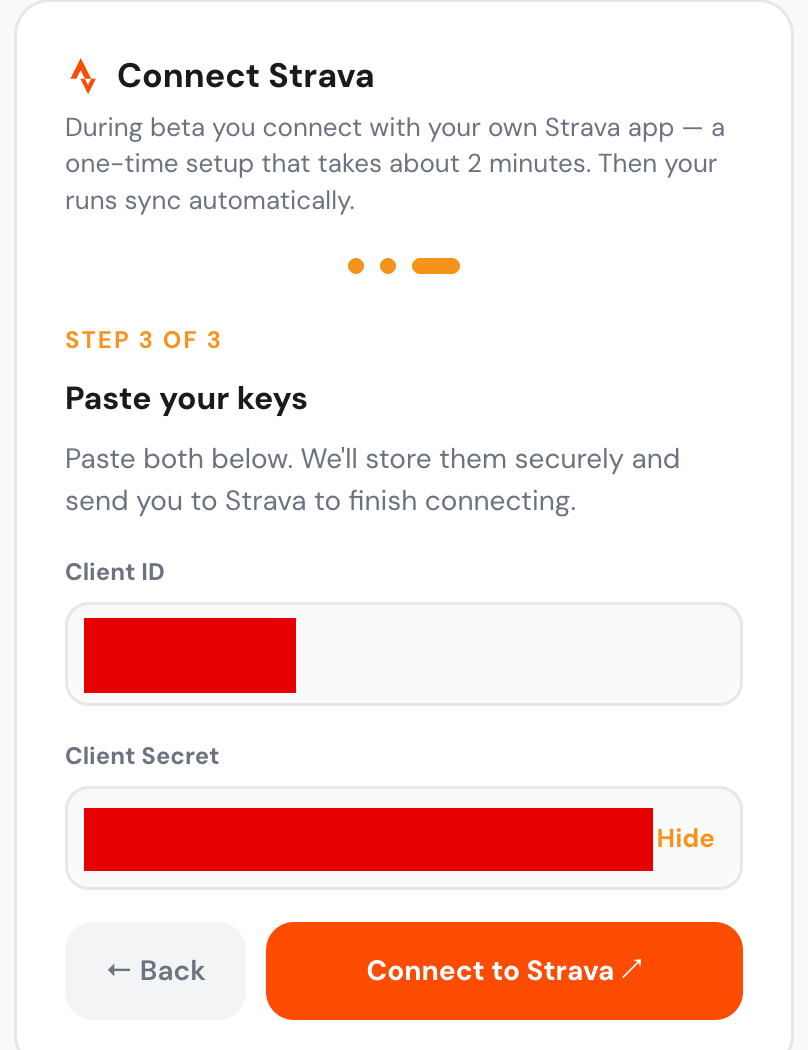
On Strava's "My API Application" page, copy your Client ID and Client Secret (tap "Show" to reveal the secret), then paste both into Bit Run and tap Connect.
Authorize
Make sure "View data about your private activities" is checked, then tap Authorize — then continue from Step 7 above (heart-rate sharing).
Run, and earn your first Bitcoin!
Warm up, then take an easy run of at least 1 km. Watch your Satoshis (SATS) land in your Bit Run balance, then send them to your lightning-fast Lightning wallet with Send Sats. From here, every run stacks real Bitcoin.
You're the people I trust most, and your feedback decides where Bit Run goes next. If anything feels off — or you have an idea — reply to your invite email or message me, and I'll respond to every one.